
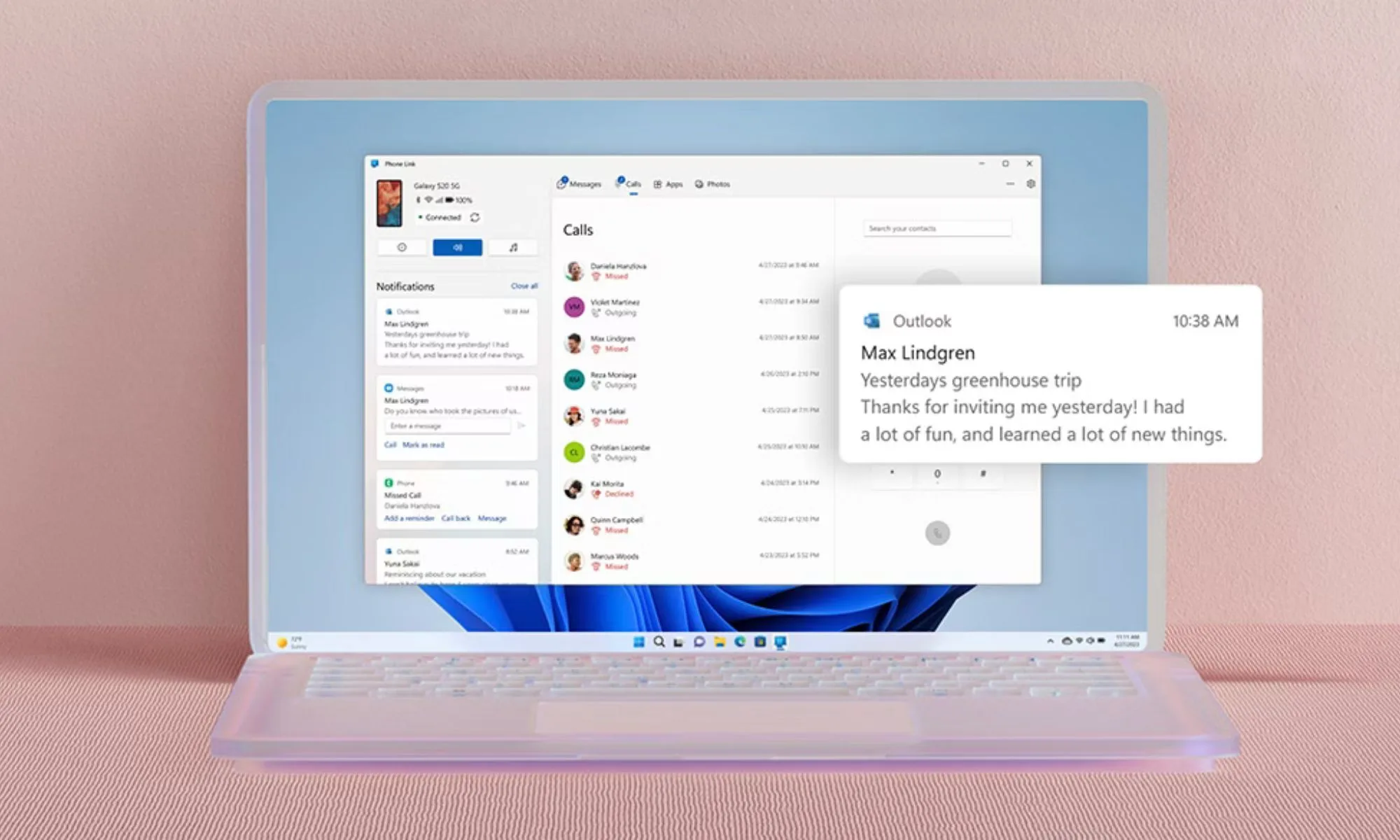

Microsoft has made it easier for users to control their Windows 11 PCs using an Android phone. Through updates to its Phone Link and Link to Windows apps, people can now perform several tasks remotely, including locking their computer, sharing files, and even mirroring their phone screen onto the PC. This integration aims to simplify day-to-day workflows by letting users manage key PC functions from their smartphone.
One of the most notable features is the ability to lock a Windows 11 device directly from a connected Android phone. This lets users secure their computer quickly when stepping away, without needing to physically interact with the keyboard or mouse. The feature is designed for convenience and security, helping prevent unauthorized access in both home and office settings.
File sharing between the phone and PC has also become more seamless. Users can send photos, videos, documents, and other types of files wirelessly, eliminating the need for cables or third-party apps. Cross-device clipboard functionality has been improved as well, allowing users to copy text on one device and paste it on the other instantly.
Additionally, a new “Recent Activity” panel gives a clear overview of the latest interactions and shared files, making it easy to revisit or manage content quickly. Screen mirroring continues to be supported, enabling users to display their Android phone on the PC for larger workspace viewing or easier navigation of apps and content.
Overall, these updates highlight Microsoft’s ongoing commitment to creating a smoother, more integrated experience between Windows and Android. By enabling remote control, file management, and enhanced connectivity, the company is making it simpler for users to stay productive and interact with their computers from virtually anywhere.