

• Blog
  • My-Account
    • Cart
    • Checkout
  • About US
Tuesday, December 9, 2025
  • Login
iTDAY
  • Smartphone
  • Technews
    • Camera
    • Gadjet
    • Laptop
    • PC
    • Tablet
    • Wearable
  • PC
  • Podcast
  • Videos
  • Games
No Result
View All Result
  • Smartphone
  • Technews
    • Camera
    • Gadjet
    • Laptop
    • PC
    • Tablet
    • Wearable
  • PC
  • Podcast
  • Videos
  • Games
No Result
View All Result
iTDAY
No Result
View All Result

Why You Should Revisit iPhone Shortcuts Now That Apple Intelligence Is Inside

sadaf by sadaf
2025-12-09
in Apple, Apps, Smartphone, Technews
Reading Time: 3 mins read
0
A A
0
Home Smartphone Apple

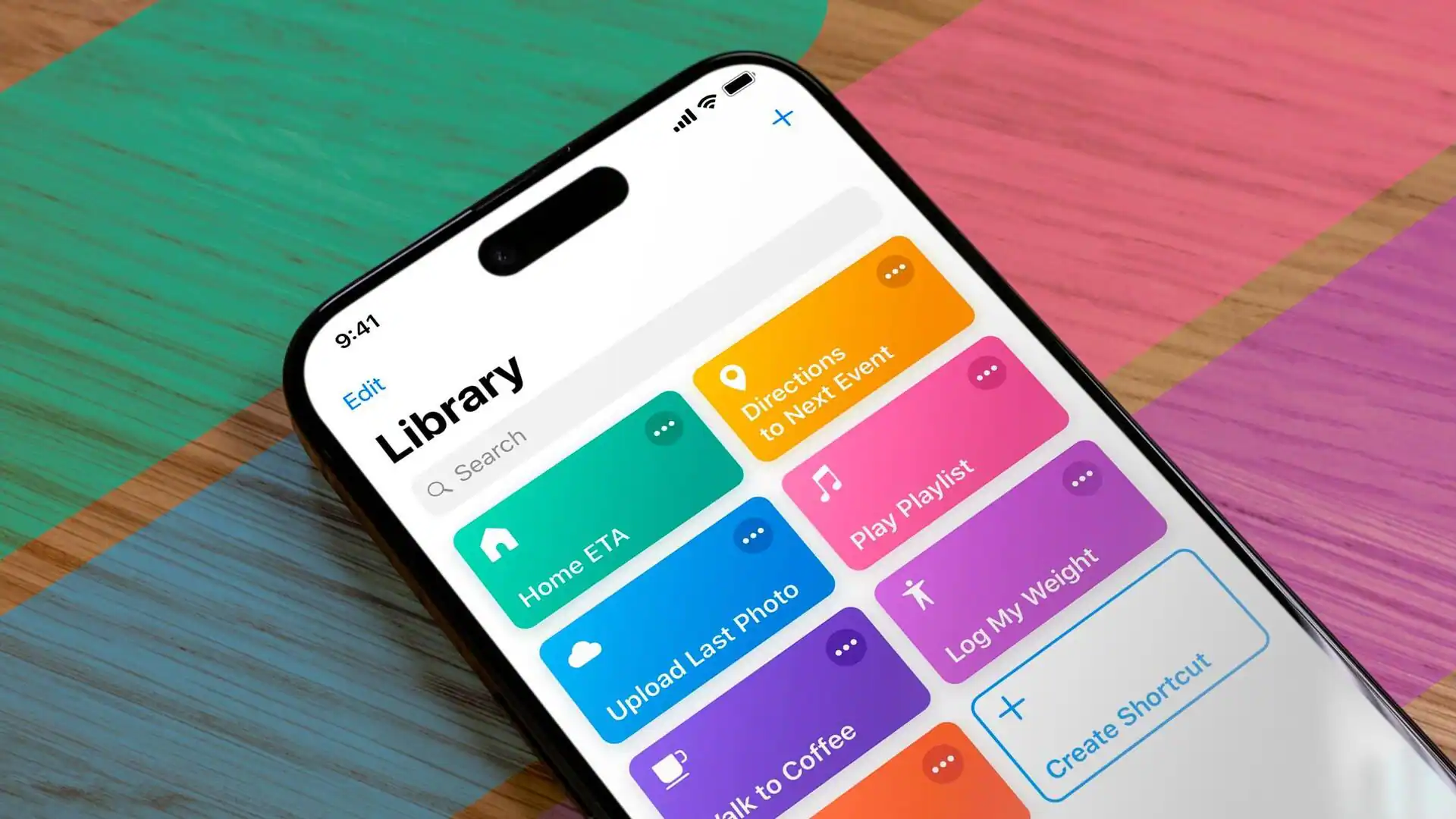
If you’ve treated Shortcuts like a simple automation toy — maybe a few quick tasks here and there — you’ve been missing out. With recent updates under Apple Intelligence, Shortcuts has quietly transformed into a powerful, flexible tool that can streamline many aspects of how you use your iPhone — from summarizing content to automating photo or document workflows.

What’s New: AI-Powered Automation

Starting with iOS 26, Shortcuts gained a major upgrade: you can now embed AI “actions” directly into custom workflows. Whether you choose on-device models, Apple’s private cloud compute, or an external AI (if supported), Shortcuts can analyze text, image, or document content — then act on it. That means with one tap you can:

  • Summarize a long article, document or PDF into a few key sentences.

  • Take a screenshot and have AI extract the main ideas, create a headline, and generate search-friendly tags for future reference.

  • Identify dishes from a food photo or screenshot and get a full recipe — ingredients, method, and nutritional info — automatically saved into Notes.

  • Recognize a random movie or TV-show clip from an image (or screenshot), then retrieve streaming availability or related details within seconds.

In other words: tasks that would take minutes of copying and pasting, switching apps, or googling — now happen instantly.

Real-World Use Cases: From Simple to Advanced

Because the tool is so flexible, you can tailor Shortcuts to your own needs:

  • Students or researchers: clipboard a chunk of text, then get summaries + highlights + ready-to-review notes.

  • Media hunters: screenshot a trailer or clip on social media, and get the name of the show/movie + where to watch.

  • Recipe collectors: see a dish on Instagram, tap a shortcut — get full recipe + save automatically.

  • Busy professionals: hand over repeated workflows (file naming, metadata extraction, note-taking) so you don’t waste time manually.

For many users, the difference feels like having a personal assistant tucked in your pocket.

Why Most People Under-Use It — And How That’s Changing

For years, Shortcuts felt like a “power-user only” tool — useful if you already knew how to script or automate. That kept many regular users away. But with AI integration, the barrier drops: you don’t need to know programming or complicated logic. You just describe what you want (or pick from pre-built “smart” shortcuts in the gallery), and the AI handles the rest.

That shift — from “macro builder for nerds” to “everyday automation assistant” — is what makes Shortcuts more relevant today than ever.

What to Watch Out For

  • Not all features work on all iPhone models. Older devices or some regions may lack full support for Apple Intelligence actions.

  • AI-powered shortcuts aren’t perfect. Summaries or recognitions can be inconsistent, especially for obscure media or unusual text/image content. It helps to double-check results when accuracy matters.

  • Over-automation can lead to clutter. Too many custom shortcuts or poorly designed workflows may slow down your device or make debugging harder.

So — Should You Give Shortcuts a Real Try?

If you’ve got a recent iPhone and spend time reading articles, saving media, or juggling files and notes — yes. Spending a little time to set up a few smart shortcuts can repay you over and over again. Once you see what’s possible — auto-summaries, instant info lookups, smarter media handling — you might wonder how you ever used your phone without it.

In short: Shortcuts isn’t just for power users anymore. With AI baked in, it’s a hidden productivity tool hiding in plain sight.


Tags: AI shortcutsapp workflowsApple Intelligencedigital organizationiOS 26 updateiPhone ShortcutsiPhone tips 2025life hacks techmobile automationsmartphone productivity
ShareTweet
sadaf

sadaf

Related Posts

TikTok Lets You Build Shared Video Collections With Friends
Apps

TikTok Lets You Build Shared Video Collections With Friends

by sadaf
2025-12-09
What to Watch at Lenovo’s 2026 Tech World: AI, Gaming, and Possibly Rollable Screens
Ai

What to Watch at Lenovo’s 2026 Tech World: AI, Gaming, and Possibly Rollable Screens

by sadaf
2025-12-09
Android 16 QPR2 Brings a Noticeable Boost to Pixel Phones
android

Android 16 QPR2 Brings a Noticeable Boost to Pixel Phones

by sadaf
2025-12-09
Forget Your Phone? Tesla Will Let You Know With a Chime and Flash
Cars

Forget Your Phone? Tesla Will Let You Know With a Chime and Flash

by sadaf
2025-12-09
Android 16 QPR2 Arrives: Faster Pixels, AI Notifications & Smarter UI
android

Android 16 QPR2 Arrives: Faster Pixels, AI Notifications & Smarter UI

by sadaf
2025-12-08
Rivian Finally Activates Full Digital-Key Support With UWB Precision
Cars

Rivian Finally Activates Full Digital-Key Support With UWB Precision

by sadaf
2025-12-08
Next Post
TikTok Lets You Build Shared Video Collections With Friends

TikTok Lets You Build Shared Video Collections With Friends

Leave a Reply Cancel reply

Your email address will not be published. Required fields are marked *

  • Trending
  • Comments
  • Latest
PowerBeats Pro 2: Launch Date and Price Details Unveiled

PowerBeats Pro 2: Launch Date and Price Details Unveiled

2025-02-03
New AI-Powered Notification Organizer in Android 16

New AI-Powered Notification Organizer in Android 16

2025-07-08
Samsung Galaxy Z Fold 7: The Thinnest, Lightest Foldable with Cutting-Edge AI and Camera Tech

Samsung Galaxy Z Fold 7: The Thinnest, Lightest Foldable with Cutting-Edge AI and Camera Tech

2025-07-10
Xiaomi Watch S4 Review: Brilliant Display, Customization Power, and Solid Fitness Features Under €200

Xiaomi Watch S4 Review: Brilliant Display, Customization Power, and Solid Fitness Features Under €200

2025-05-26
New OnePlus Open 2 leak hints at a camera feature other flagships lack

New OnePlus Open 2 leak hints at a camera feature other flagships lack

0
Xfinity, Metro customers face Samsung Galaxy S25 Ultra activation problems

Xfinity, Metro customers face Samsung Galaxy S25 Ultra activation problems

0
Starting tomorrow, Apple might have to raise iPhone prices in the U.S.

Starting tomorrow, Apple might have to raise iPhone prices in the U.S.

0
Four Years Later, 60fps Bloodborne Patch Gets Taken Down By Sony

Four Years Later, 60fps Bloodborne Patch Gets Taken Down By Sony

0
TikTok Lets You Build Shared Video Collections With Friends

TikTok Lets You Build Shared Video Collections With Friends

2025-12-09
Why You Should Revisit iPhone Shortcuts Now That Apple Intelligence Is Inside

Why You Should Revisit iPhone Shortcuts Now That Apple Intelligence Is Inside

2025-12-09
What to Watch at Lenovo’s 2026 Tech World: AI, Gaming, and Possibly Rollable Screens

What to Watch at Lenovo’s 2026 Tech World: AI, Gaming, and Possibly Rollable Screens

2025-12-09
Android 16 QPR2 Brings a Noticeable Boost to Pixel Phones

Android 16 QPR2 Brings a Noticeable Boost to Pixel Phones

2025-12-09
iTDAY

ITDAY is a technology-focused platform covering the latest tech trends, news, and innovations in the worldwide. It likely provides articles, reviews, and insights on advancements in the tech industry.

© 2025 itDay - All rights reserved for the website of the latest technologies in the World.

Welcome Back!

Login to your account below

Forgotten Password?

Retrieve your password

Please enter your username or email address to reset your password.

Log In

Add New Playlist

No Result
View All Result
  • Smartphone
  • Technews
    • Camera
    • Gadjet
    • Laptop
    • PC
    • Tablet
    • Wearable
  • PC
  • Podcast
  • Videos
  • Games

© 2025 itDay - All rights reserved for the website of the latest technologies in the World.